
Login and roles
People see the screens and records that match their job, not a single shared file.
Web Application
From internal operations tools to customer-facing portals, we build web applications around the jobs your team repeats every day.
When staff depend on files, forwarded messages and memory, work is slow and easy to lose. The business needs a web application with login, records, permissions and the exact screens people use to get work done.
Softera builds web applications for operations, reporting, customer access and internal control. Screens, roles and data are designed from the workflow, then implemented as a maintainable system.
Authenticated web applications
Role-based screens
Operational dashboards
Data entry and reporting
Customer or staff portals
Integration with existing processes
People see the screens and records that match their job, not a single shared file.
Interfaces designed for repeated work: entry, review, status changes and reporting.
Business data stored in a structured system that can later support quotes, invoices and payments.
Teams can work from the office or field without installing a desktop package unless the project requires it.
Web application projects start with user roles and the jobs to be done. We prototype the critical screens before building the full system.
01
Discover
02
Scope
03
Design
04
Build
05
Launch
06
Support
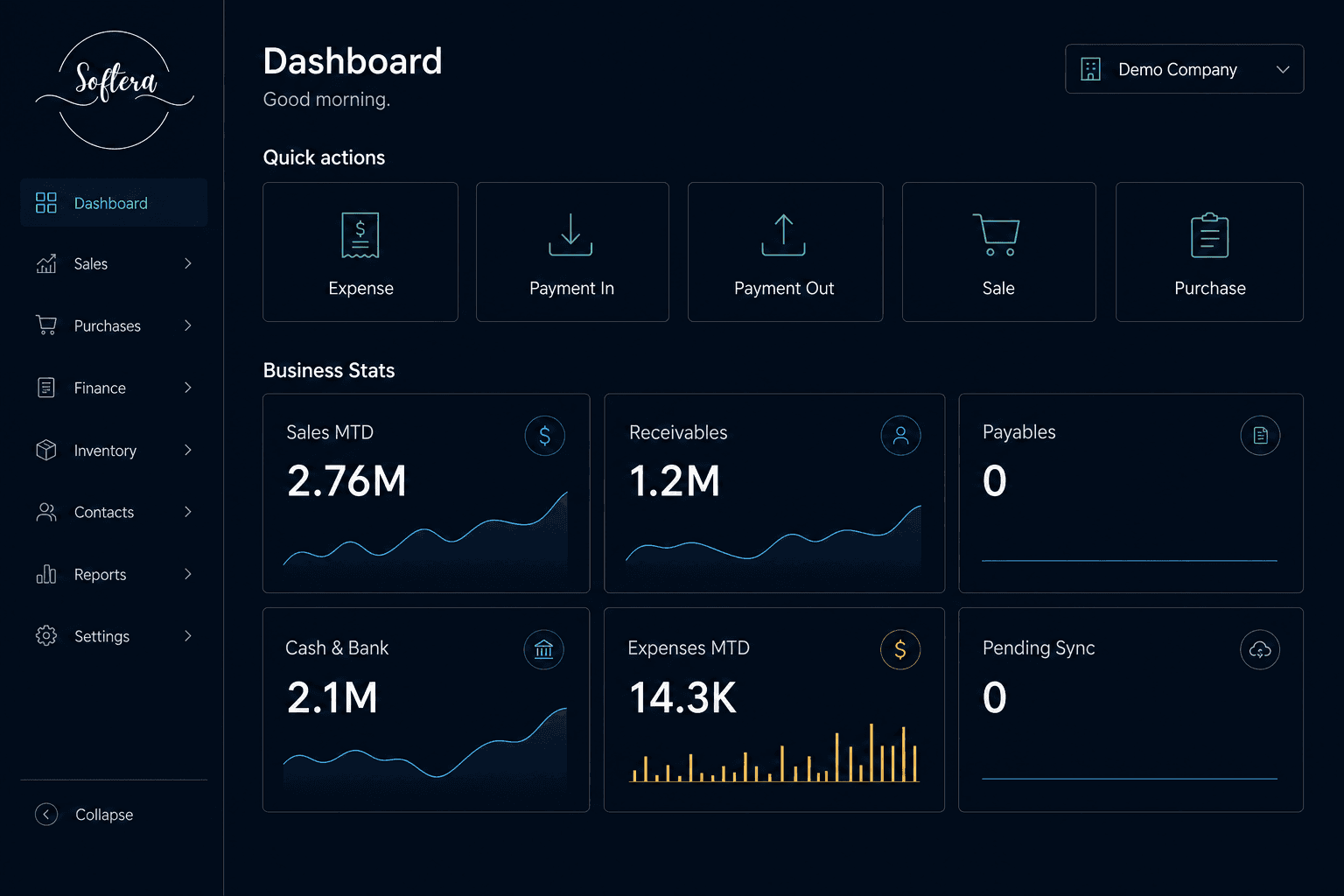
A Softera-branded ERP workspace for posting transactions and reviewing sales, cash, receivables and expenses from one screen.
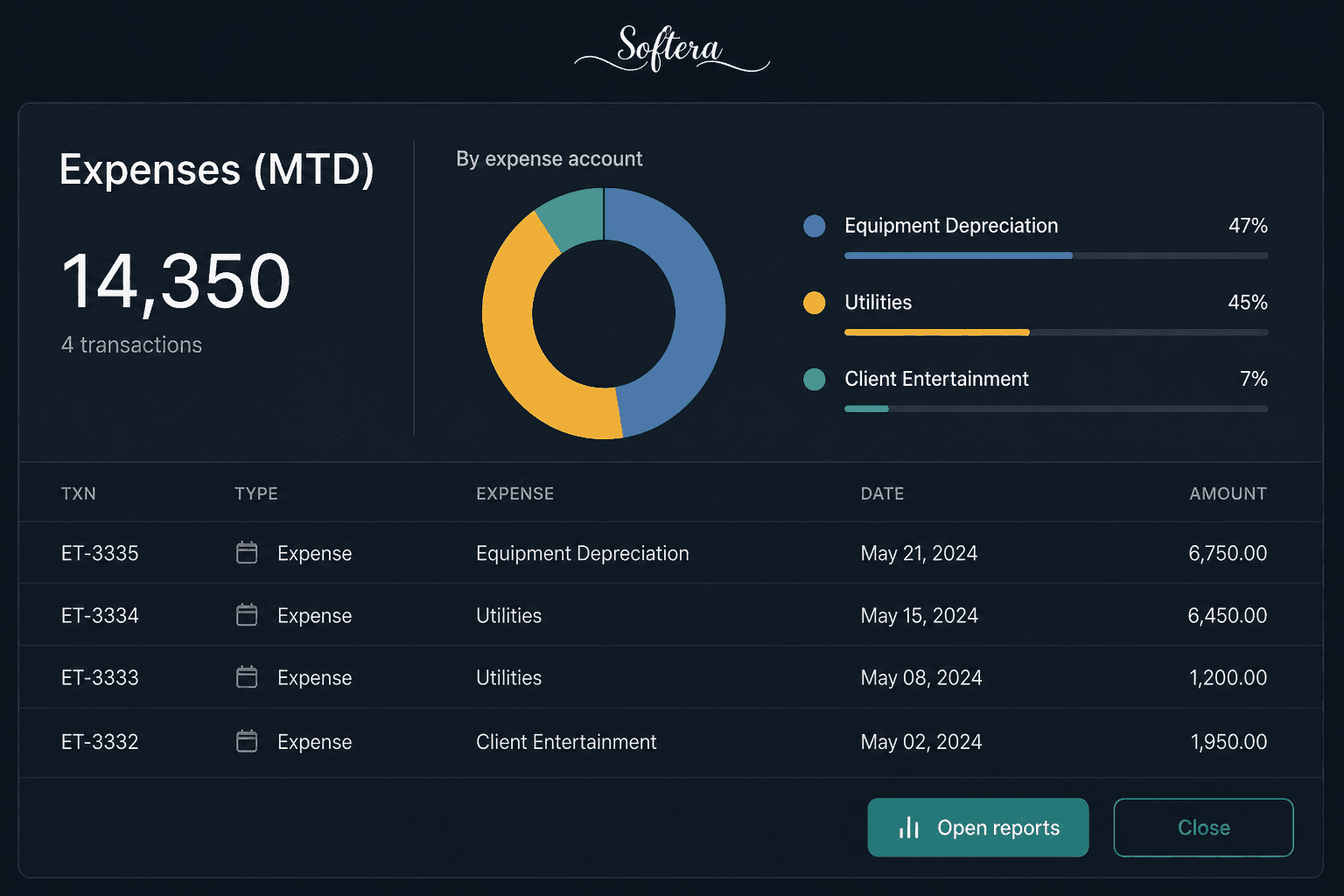
An expense analysis interface used to review spending patterns and management figures. Detailed project scope is available on request.
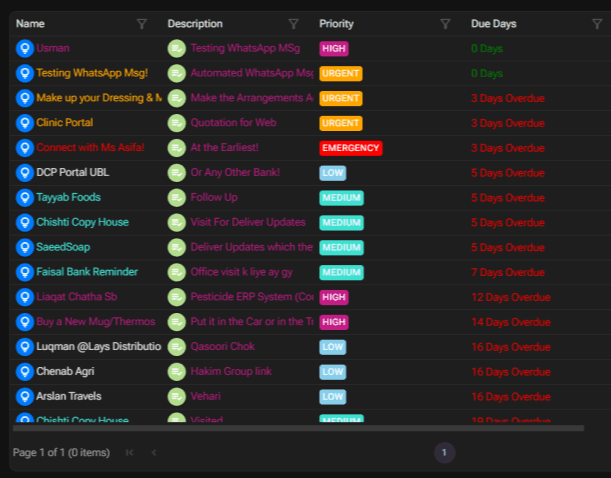
A structured task board for following up people, jobs and operational priorities. Implementation details vary by business.

An authenticated business software entry point used before operational modules. Access, branding and modules are configured per company.
Quote based on requirements
These are starting points, not guaranteed final prices. Final pricing depends on scope, features, integrations, users, deployment and customization requirements.