
Operational modules
Start with the processes that create the most friction: stock, sales, accounts or distribution.
ERP
Connect inventory, sales, accounts, distribution and reporting in one system that reflects how your business actually runs.
Stock in one spreadsheet, invoices in another, field activity in a third. Management cannot see a reliable picture, errors repeat, and staff spend time reconciling systems instead of running the business.
Softera designs ERP systems around real operational sequences: orders, stock, accounts, routes, reporting and the approvals your business needs. The software is built in modules so you start with the processes that matter most.
Inventory and stock control
Sales and invoicing workflows
Accounting-related modules
Distribution and route visibility
Management reporting
Role-based operations
Start with the processes that create the most friction: stock, sales, accounts or distribution.
Reduce duplicate entry so teams are not maintaining parallel versions of the same data.
Where needed, connect office records with field movement, orders and follow-up.
Architecture is modular so additional processes can be added after the first live modules.
ERP work begins with process mapping. We document how orders, stock and money currently move, then design modules around that sequence.
01
Discover
02
Scope
03
Design
04
Build
05
Launch
06
Support
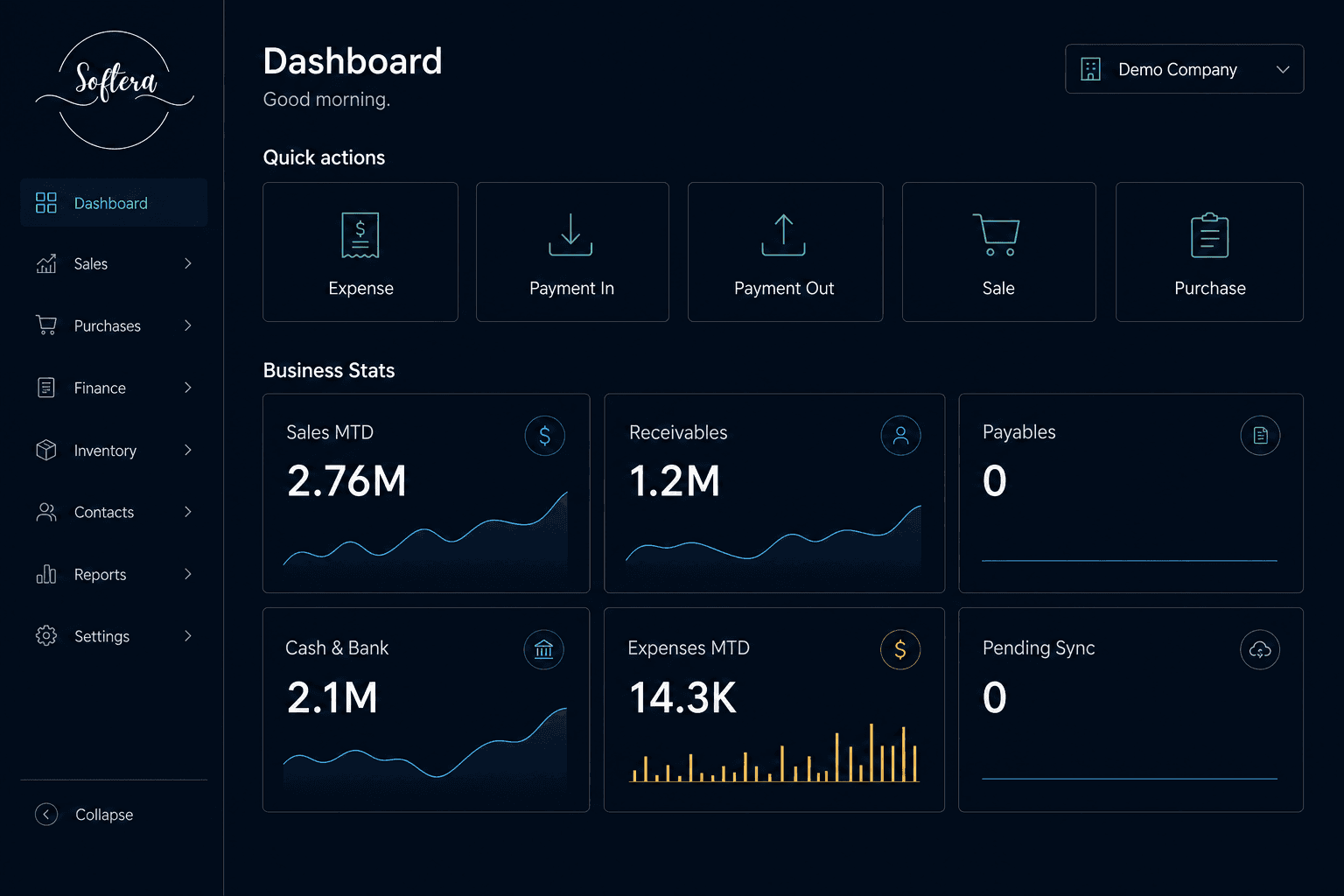
A Softera-branded ERP workspace for posting transactions and reviewing sales, cash, receivables and expenses from one screen.
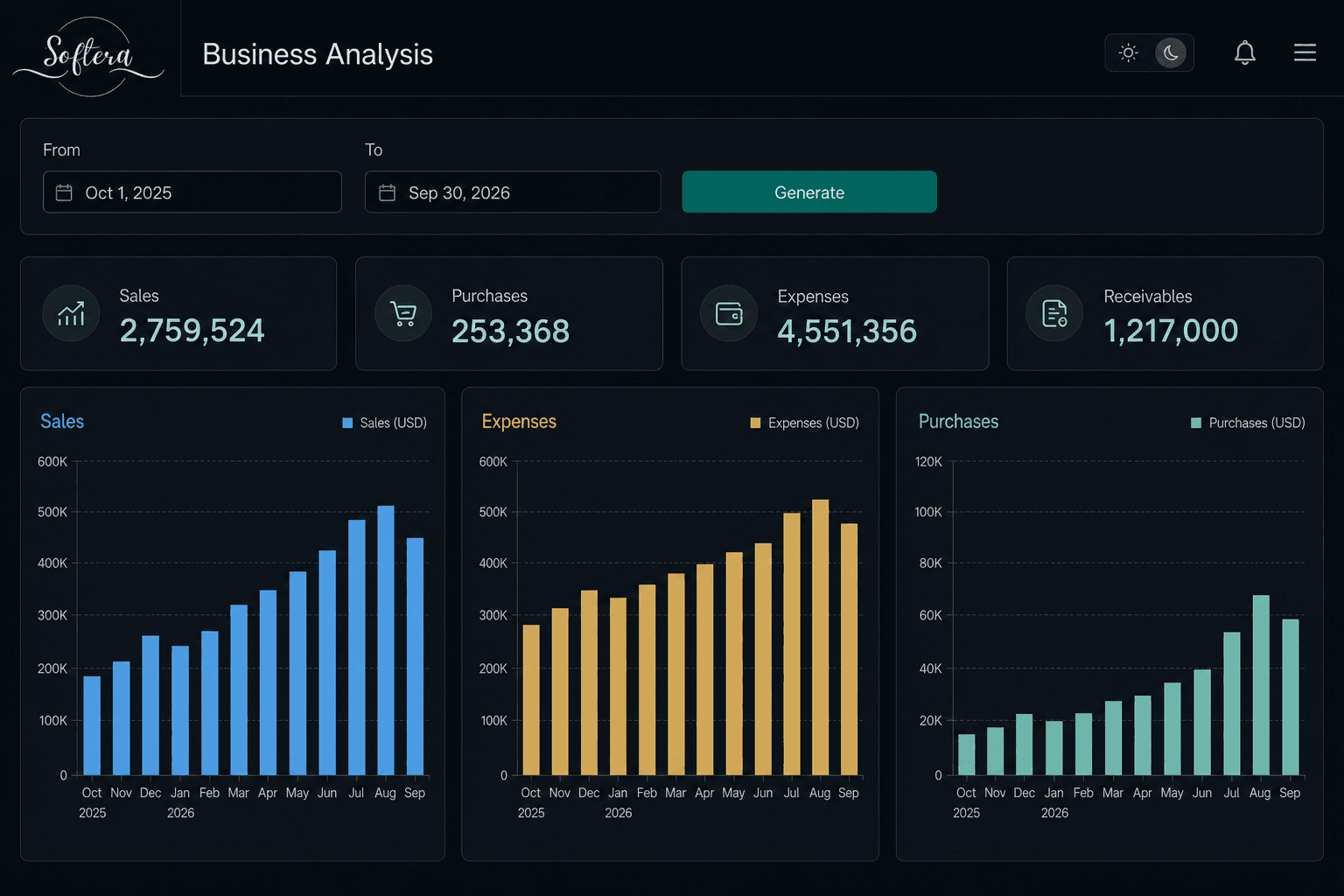
A period KPI and monthly trend report for reviewing sales, purchases and expenses across a selected date range.
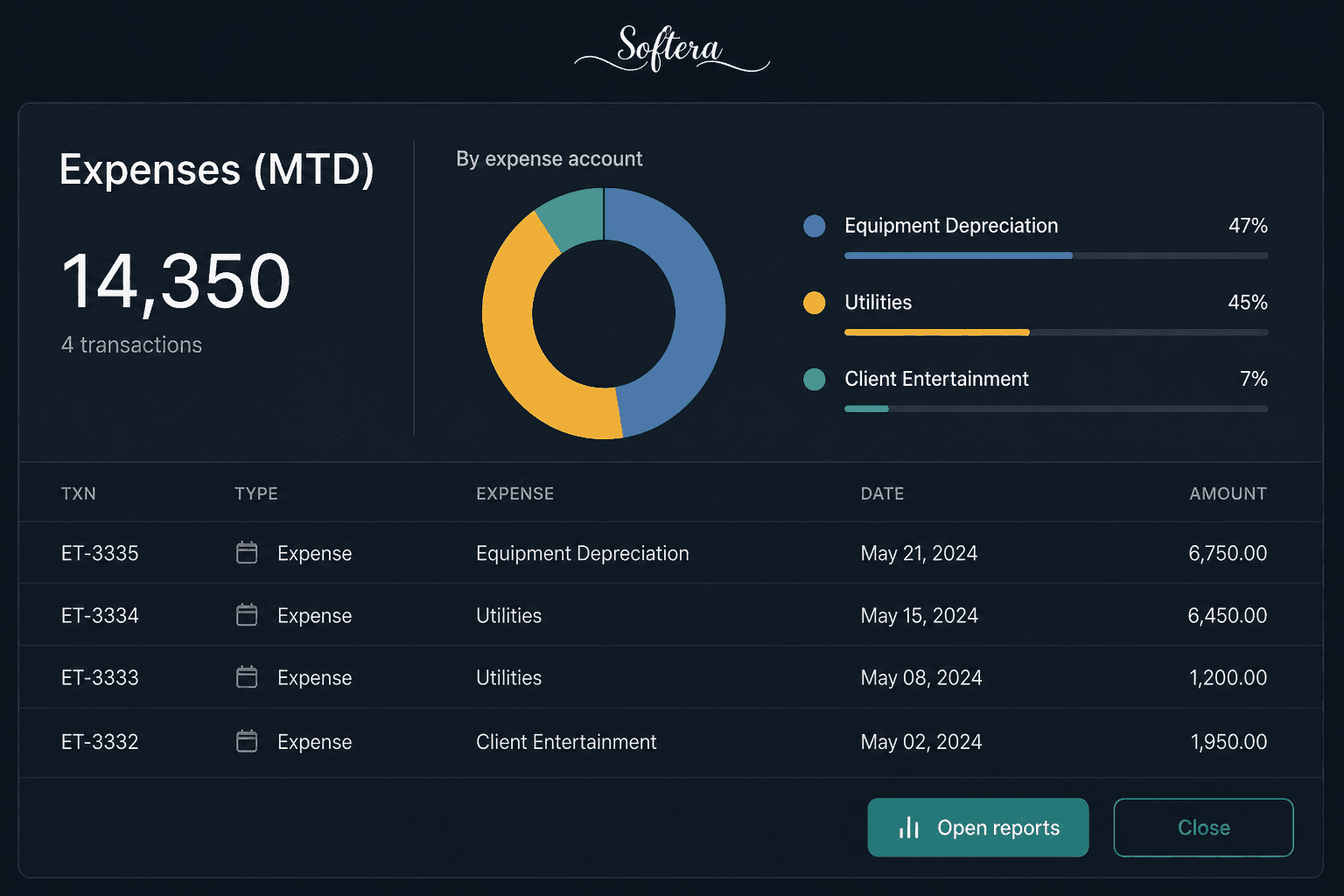
An expense analysis interface used to review spending patterns and management figures. Detailed project scope is available on request.
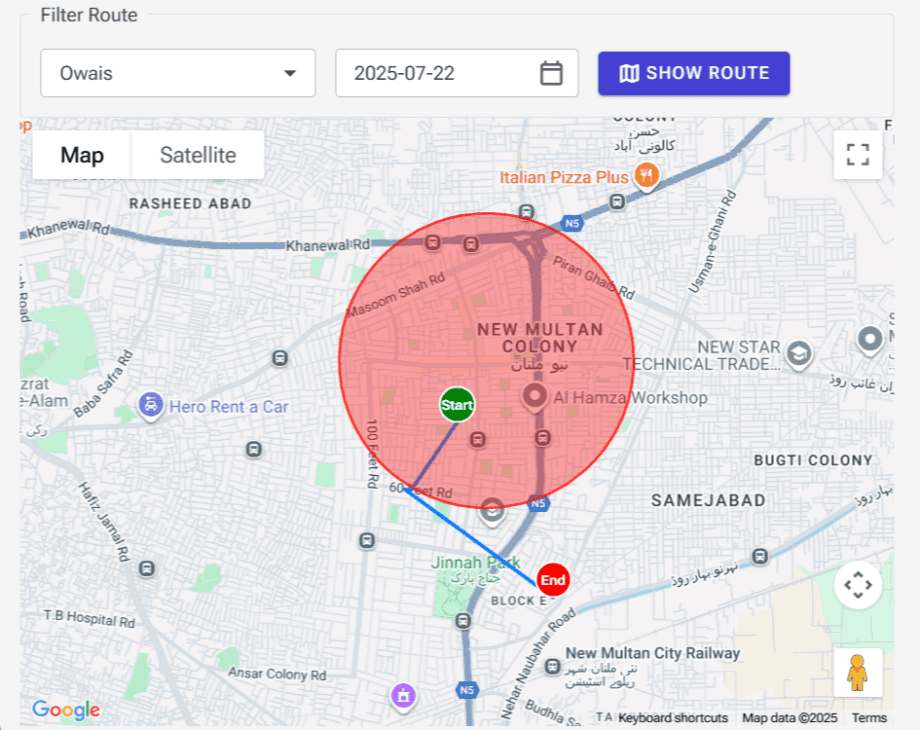
A map-based route view for reviewing field movement by person and date. Suitable as a module inside a wider distribution or ERP system.
Starting from PKR 250,000
These are starting points, not guaranteed final prices. Final pricing depends on scope, features, integrations, users, deployment and customization requirements.